30 Pieces of Content in 30 Minutes With AI

Short answer: you can create 30 pieces of content in 30 minutes with AI if you start from one piece of your own teaching, not a blank page. Take one Otter transcript of a training, masterclass or voice note, give it to an AI that already knows your voice and your business, ask for 30 ideas split across attract, nurture and convert, batch write them in groups of ten into posts, carousels, reel scripts, stories and emails, then spend the last five minutes editing and adding calls to action. The setup takes an hour or two once. After that, one recording gives you a month of content.
How many hours have you lost staring at a blank screen thinking "what do I post today?" I used to. Then I realised I was already creating hours of content every week. Every training, every live call, every masterclass is packed with ideas. They were just trapped inside recordings.
Now I record almost everything in Otter. One transcript becomes posts, carousels, emails, guides and even blogs like this one. Here's the exact method, minute by minute, with every prompt you need.
This is part of my ultimate guide to turning content into clients. This post is how to make the content fast. The guide is how to make it bring in clients.
Why most "30 days of content" from AI is useless
You've probably tried it. "Write me 30 days of content for my coaching business." And you got 30 bland one liners that could have come from anyone, some ending with "let's talk!" Cringe. The AI knew nothing about you, and you gave it nothing of yours to work from. Two things fix it: the AI knows your voice and business before you ask, and you start from your own words, so the ideas, stories and opinions are yours. AI just shapes them.
Before the timer: the one time setup
This is what makes 30 minutes possible. Do it once, reuse it forever.
- A voice document. Answer around 20 questions about how you communicate: how you want people to feel, casual or formal, humour, stories you tell, words you love, words you'd never use, British or American English, which offers you're focusing on.
- Business documents. Your ideal client, your offers and your frameworks.
- Somewhere they live. A Claude project, your own custom AI or another AI tool. I explain my setup in how I use Claude projects to run my content.
Not a writer? Talk the answers through in Otter and ask AI to tidy them into documents.
Time: one to two hours, once. Done when: your AI can describe your ideal client, your offer and your tone back to you accurately.
The 30 minute method
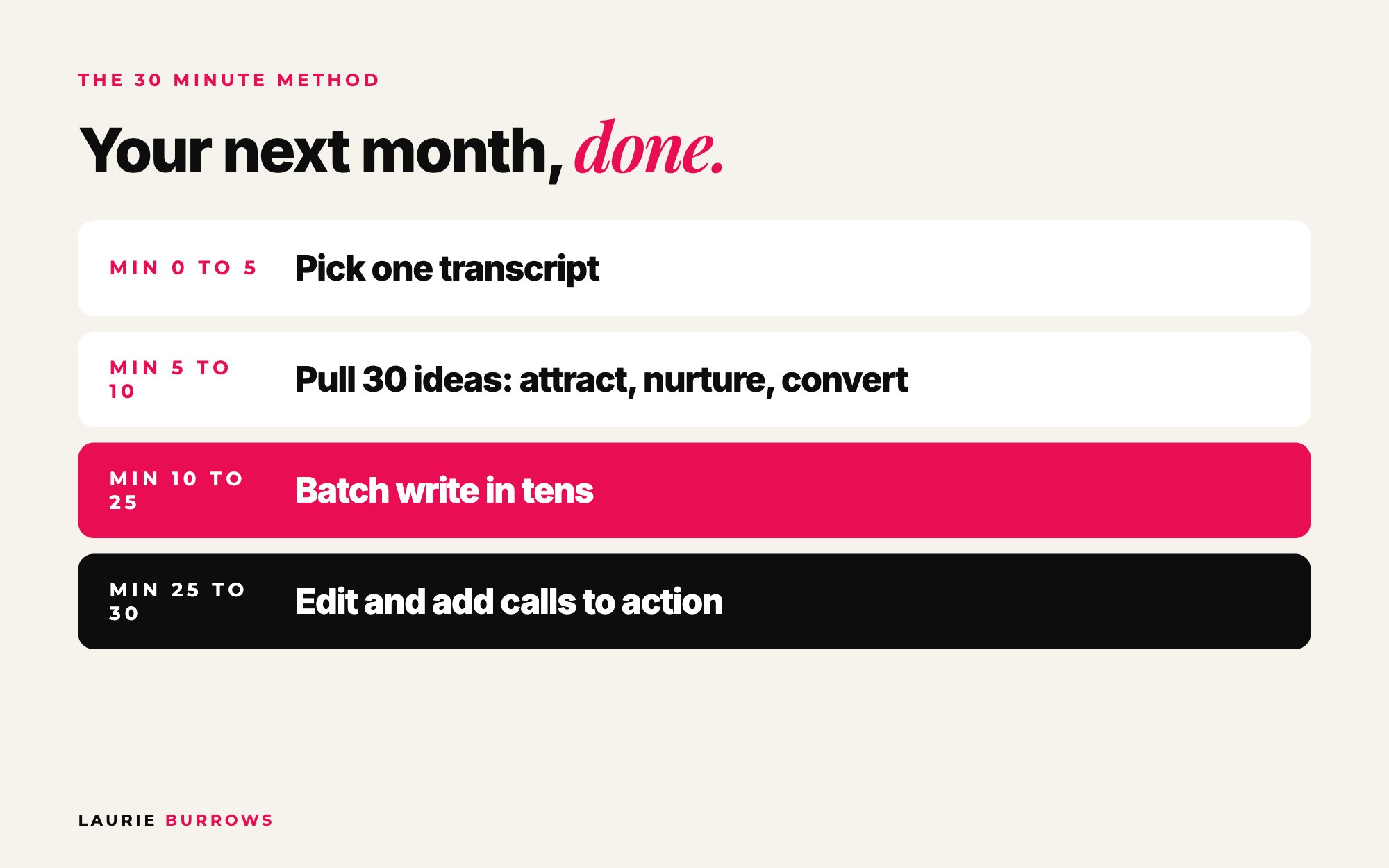
Step 1 (minutes 0 to 5): pick your source
Choose one transcript: a training, a masterclass, a live Q and A, a podcast, or a voice note from a dog walk. The meatier it is, the more you get. A 30 to 60 minute training easily gives you 30 pieces. No recordings yet? Hit record and talk for ten minutes using these prompts:
Copy and paste: 10 minute voice note prompts
1. The biggest mistake my ideal client makes with [topic] is...
2. It happens because...
3. Here's what to do instead, step by step...
4. A time I (or a client, without naming them) got this wrong and what changed...
5. What most people in my industry say about this, and why I disagree...
Step 2 (minutes 5 to 10): pull out 30 ideas
Copy and paste: 30 ideas prompt
I've uploaded a transcript of a training I delivered. Based on this and what you know about my ideal client, give me 30 content ideas.
Make 10 attract content (to reach new people), 10 nurture content (to build trust and show my expertise) and 10 convert content (to move people towards [offer]).
Use my stories, examples and phrases from the transcript. For each idea give a working hook and the format it suits best: post, carousel, reel, story or email.
That split is my Attract Nurture Convert approach. If all 30 pieces are educational tips, you'll get likes but no sales. You need content for every stage. Go deeper in the 6 types of content every coach needs.
Step 3 (minutes 10 to 25): batch write in tens
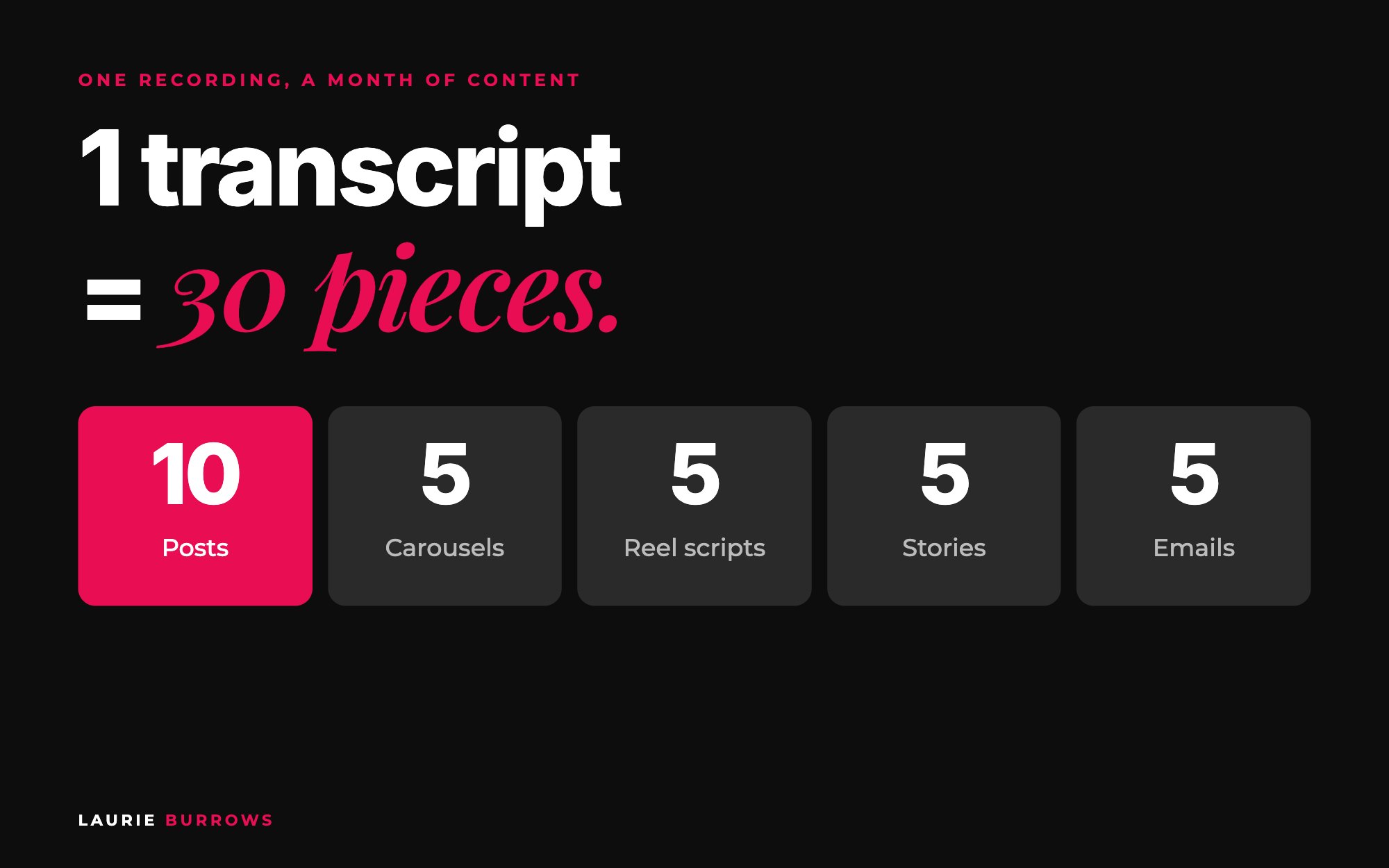
Ask for ten at a time so you can keep an eye on quality. From one training, aim for 10 written posts, 5 carousels, 5 reel or talking head scripts, 5 stories and 5 emails.
Copy and paste: batch writing prompts
Posts: "Write ideas 1 to 10 as posts in my tone of voice. Mix long form captions, story posts and actionable tips. Every post gives the reader one thing they can do today."
Carousels: "Turn ideas 11 to 15 into carousels. Give me the text for each slide, 8 slides max, hook on slide one, call to action on the last slide."
Reels: "Write ideas 16 to 20 as 20 to 40 second talking head scripts. First line is the hook. Write it how I speak, not how I write."
Stories: "Turn ideas 21 to 25 into story sequences with a poll or question sticker in each."
Emails: "Write ideas 26 to 30 as short nurture emails with a subject line and one link."
Do this now: find the last training, masterclass or live you recorded. If it isn't transcribed, upload it to Otter today. Tomorrow, set a 30 minute timer and follow the method above.
Step 4 (minutes 25 to 30): edit and add calls to action
Don't skip this. Read through and give feedback where something's off. Then make sure every piece leads somewhere: a comment for your free guide, a link to your opt-in, a DM.
Copy and paste: edit and call to action prompt
Feedback on this batch: [too long / words I'd never use / not enough value / too salesy]. Fix all ten.
I'm promoting [free guide or offer, with link]. Add a call to action to every piece that fits it naturally. Use comment calls to action ("comment GUIDE and I'll send it") on at least three posts.
Then read the posts out loud. If it doesn't sound like something you'd say, it isn't finished.
Worked example: one masterclass, one month
Example (illustrative): a business coach records a 45 minute masterclass on pricing a group programme.
| Format | How many | Example from the transcript |
|---|---|---|
| Posts | 10 | "Why I'd rather you charge $997 to 10 people than $97 to 100" (attract) |
| Carousels | 5 | "The 4 numbers to check before you set a price" (nurture) |
| Reel scripts | 5 | Hook: "You're not too expensive. Your offer is too vague." (attract) |
| Stories | 5 | Poll: "Do you price on hours or on the result?" (nurture) |
| Emails | 5 | "Doors are open: here's who it's for and who it isn't" (convert) |
Thirty drafts in 30 minutes. Another hour to design the carousels and schedule everything, and the month is done. Next month, a different recording.
Want that extra hour back too? The Content Creator inside Ascendia OS plans your month, writes posts in your voice and schedules them straight to Instagram, Facebook, LinkedIn and more, so the drafting and the scheduling are both done for you.
Benchmarks
- Source: a 30 to 60 minute training gives you around 30 pieces. A ten minute voice note gives fewer, but often more personal ones.
- Split: 10 attract, 10 nurture, 10 convert.
- Mix: 10 posts, 5 carousels, 5 reel scripts (20 to 40 seconds), 5 stories, 5 emails.
- Batches: ten at a time.
- Every piece: one actionable takeaway and one call to action.
- First time: give yourself longer. You'll give more feedback while the AI learns how you write.
Common mistakes (and the fix)
- Starting from a blank chat. Fix: always start from a transcript of you.
- All tips, no selling. Fix: the 10, 10, 10 split.
- Writing all 30 in one go. Quality drops. Fix: batches of ten.
- No calls to action. Fix: Step 4, every time.
- Letting AI do the thinking. The second you do, you lose your voice. Fix: the ideas come from your teaching. AI structures and refines.
Your action plan
- Today: Upload your last training to Otter, or record the ten minute voice note above.
- This week: Build your voice and business documents and run the 30 minute method once.
- Next 30 days: Post from your batch, record every training, call and live in Otter, file transcripts in Google Drive by theme, and run the method again at month end.
Those same transcripts can train your own AI too. See how to turn your Otter transcripts into an AI knowledge base. And to make sure all that content turns into sales, read the ultimate guide to turning content into clients. If you want Claude set up for this with the prompts ready to go, that's exactly what The Claude Content Engine is for.
Want a month of content that sounds like you, every month?
The Claude Content Engine sets Claude up to sound like you, with prompts for carousels, reels and captions and a monthly content sprint. Or start free with the 30 Claude Content Prompts on my free resources page.
Rather have it done for you?
Get your month of content planned, written and scheduled
The Content Creator inside Ascendia OS plans your month, writes posts in your voice and schedules them for you. The Email Marketer turns the same ideas into emails, so one idea works everywhere. 14 days free, no tech skills needed.
Frequently asked questions
How do I make AI content sound like me?
Give the AI a detailed voice document, start from a transcript of you actually talking, and correct every draft that doesn't sound like you. The more examples of your real words it has, the closer it gets.
Which AI tool is best for creating content?
I use Claude for most of my content because I find it writes better copy and its projects keep everything organised. The method matters more than the tool: your voice, your source material and your feedback.
Is 30 minutes really realistic?
For the first drafts of 30 pieces, yes, once your voice and business documents are set up. Designing, tweaking and scheduling take extra time, and your first run will take longer while you give feedback. The hard part, deciding what to say, is done.
What should one transcript turn into?
A 30 to 60 minute training can comfortably become around 10 posts, 5 carousels, 5 reel scripts, 5 stories and 5 emails, plus a checklist or free guide.
How do I make sure my content actually sells?
Mix attract, nurture and convert content, and give every piece a call to action that leads to your free resource or offer. Educational tips on their own build an audience, not sales.
Laurie Burrows is a UK-based marketing and sales strategist who has built a business that's generated multi-seven figures in sales through social media and digital marketing. Today, Laurie helps business owners use social media, content and digital marketing to get seen, attract more clients and make more sales. She's also the founder of Ascendia OS.
Do you want to scale your business to 10K months in the next 90 days? I am looking for 10 people for my new case study program. DM me the word CASE STUDY on Instagram (@_laurieburrows) to learn more.